![branding-blue-tagline.svg]](https://info.vueops.com/hubfs/Imported%20images/branding-blue-tagline.svg)
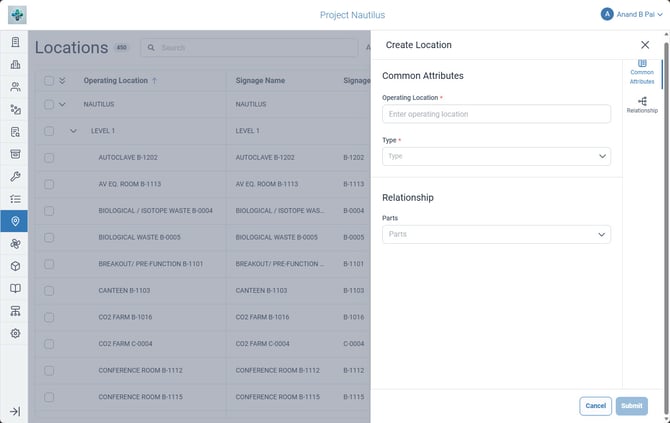
The Create Location form showing the Common Attributes and Relationship tabs.
To create a new location:
-
From the sidebar, select Locations to open the Locations module.
-
Click Create Location in the top-right area.
-
Fill in the required fields: Operating Location (name) and Type.
-
Navigate to the Relationship tab to set the parent location.
-
Optionally, associate parts with the location in the Parts tab.
-
Click Submit to create the location.
The Create Location form has 3 tabs:
Common Attributes Tab
- Operating Location* (required - the location name)
- Type* (required - the location type classification)
Relationship Tab
- Parent location assignment
- Defines where this location sits in the hierarchy
Parts Tab
-
Associate parts/materials with this location for inventory purposes