![branding-blue-tagline.svg]](https://info.vueops.com/hubfs/Imported%20images/branding-blue-tagline.svg)
-
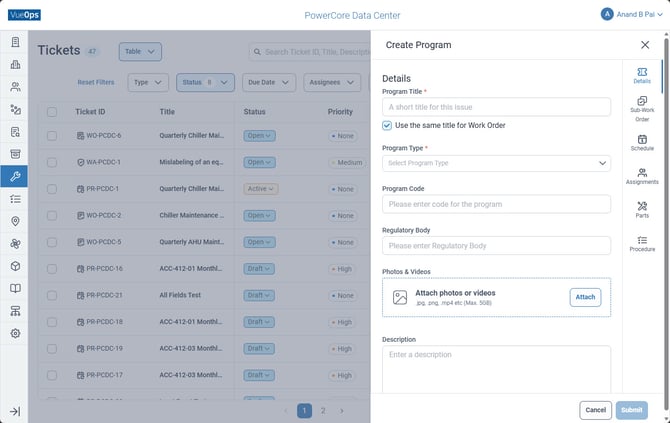
From the sidebar, select Tickets to open the Tickets module.
-
Click the dropdown arrow (▾) next to the Create button.
-
Select Program from the dropdown.
-
Fill in the program details: Title, Program Type, Priority, Description.
-
Navigate to the Sub-Work Orders tab to define the tasks for each recurrence.
-
Navigate to the Schedule tab to set the start date and recurrence pattern.
-
Configure Assignments, Parts, and Procedures as needed.
-
Click Submit to create the program in Draft status.
-
When ready, change the status to Active to begin generating work orders.
Programs use the prefix PR in their Ticket ID (e.g., PR-PCDC-1).