![branding-blue-tagline.svg]](https://info.vueops.com/hubfs/Imported%20images/branding-blue-tagline.svg)
Sections
Sections are organizational containers that group related fields together. They provide logical structure and make long procedures easier to navigate. For example, a Chiller Maintenance procedure might have sections for:
-
Equipment Information
-
Personnel & Safety Briefing
-
Approval Sign-Off
-
Energy Source Identification
-
Execution Steps
-
Completion Sign-Off
Fields
Fields are the individual data points within a procedure that technicians fill out during execution. Each field has a name, type, optional description, and can be marked as mandatory.
Procedure Detail View
When you select a procedure from the list, its details appear in the right panel showing all sections and fields in their structured layout.
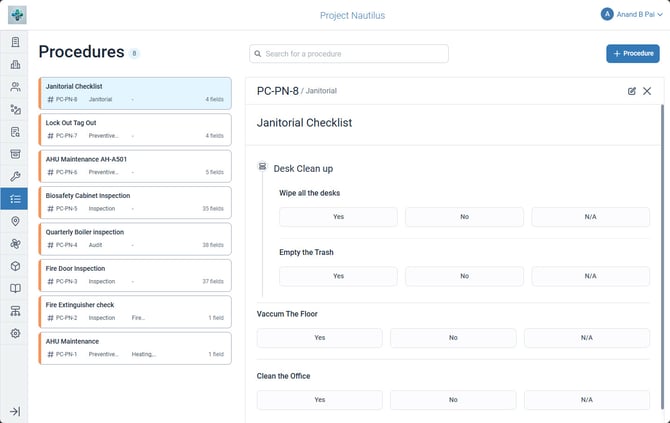
A procedure detail view showing the form structure with sections and fields for equipment information, personnel, safety checks, approval sign-offs, and execution steps.