![branding-blue-tagline.svg]](https://info.vueops.com/hubfs/Imported%20images/branding-blue-tagline.svg)
Make sure you have accepted your VueOps invite and configured your user account.
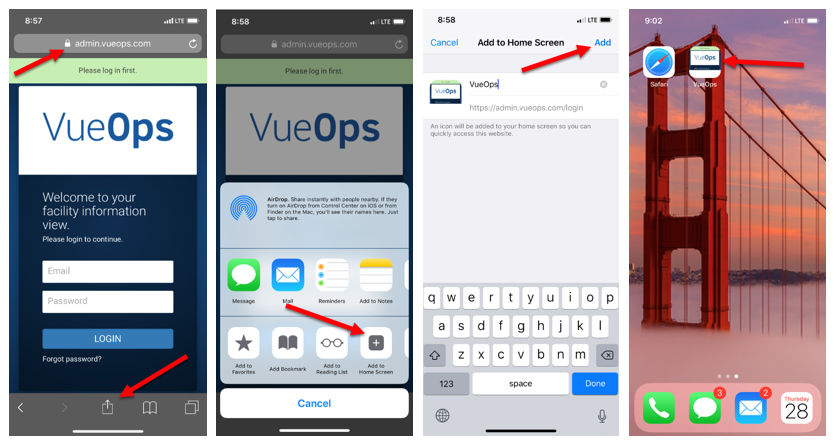
- Open VueOps in Safari.
- Log into your VueOps account
- Click the "Share" icon at the bottom of the screen.
- Click the "Add to Home Screen" option
- Enter "SiteLine" in the name field and click "Add"