![branding-blue-tagline.svg]](https://info.vueops.com/hubfs/Imported%20images/branding-blue-tagline.svg)
How to Delete Model Sets
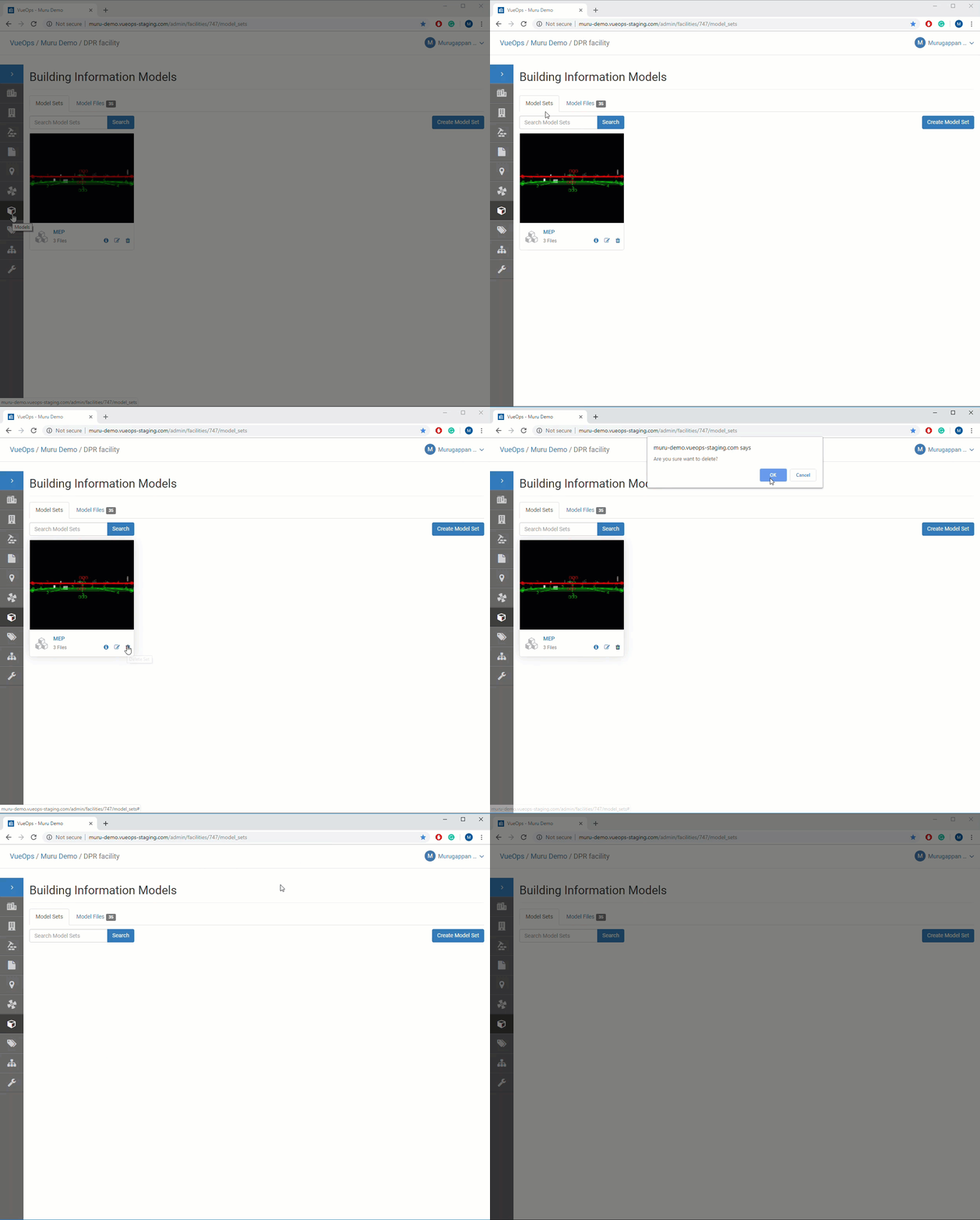
- Navigate to the facility and click on the "Models" icon in the left-navigation bar
- Select "Model Sets" tab
- Click on the "Delete" icon in the bottom-right corner of the Model set that need to be deleted.
- Delete confirmation dialog box appears. Click "OK"
VueOps Support: support@vueops.com